How Trust Wallet Works: A Simple Explanation for Newbies
Learn exactly how this crypto wallet keeps your coins safe and usable
What Trust Wallet Is (and Isn’t)
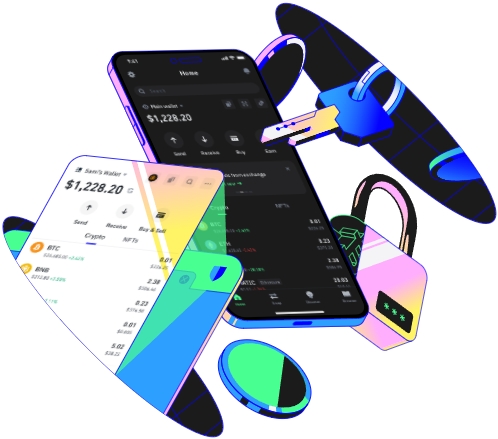
A lot of new crypto users get confused about what Trust Wallet actually is, so let’s start with the basics. At its core, Trust Wallet is a non-custodial mobile wallet designed to store, send, and receive a wide range of cryptocurrencies and digital assets like NFTs. Unlike traditional bank accounts or custodial wallets (think Coinbase or Binance’s built-in wallet), Trust Wallet doesn’t hold your funds for you—you do. That’s one of its biggest selling points, but it’s also a key point to understand to avoid mistakes. For example, if you keep your Bitcoin on Coinbase, the exchange controls your account; if they get hacked, freeze withdrawals, or go out of business, you could lose access. With Trust Wallet, no third party has that power. It’s also important to note that Trust Wallet isn’t a cryptocurrency exchange. You can’t buy or sell crypto directly within the app, but it integrates with popular exchanges and decentralized platforms, letting you connect to them to trade or swap tokens. It supports over 6 million assets across dozens of blockchains, from major ones like Bitcoin, Ethereum, and Solana to smaller, niche tokens, making it a versatile option for anyone exploring different parts of crypto. It’s also free to download and use, though network fees apply when you send or swap crypto, which go to the blockchain network, not Trust Wallet. Another thing to highlight: Trust Wallet is open-source, meaning anyone can review its code to check for security flaws. That level of transparency helps build trust, which is crucial for new users worried about their assets being stolen.
The Core Mechanics: How It Stores Your Crypto
Now, let’s get into the technical bits, but I’ll keep it simple—no fancy jargon. The most important concept here is private and public keys. Think of your crypto wallet like a bank account, but with way more control. Your public address is like your bank account number: it’s a unique string of letters and numbers (for example, an Ethereum address starts with 0x) that you can share with anyone who wants to send you crypto. Anyone can send money to this address, just like anyone can mail a letter to your home address. Your private key, on the other hand, is like the secret code to your bank vault—no one else should ever see it. If someone gets your private key, they can take all the crypto in your wallet, no questions asked. Trust Wallet doesn’t store your private keys on its own servers. Instead, it generates them directly on your phone when you set up the app, and keeps them encrypted in a secure part of your device. That’s why it’s non-custodial: only you have access to your keys. To make it easy for you to back up your wallet, Trust Wallet gives you a 12-word recovery phrase (also called a seed phrase) when you first set it up. This phrase is just a human-readable version of your private key. If you lose your phone, delete the app by accident, or switch to a new device, you can reinstall Trust Wallet and enter these 12 words to get full access to all your funds. This is non-negotiable: if you lose your seed phrase, you lose your crypto forever. I’ve seen this happen to a friend of mine who wrote his seed phrase in a Notes app on his iPhone; when his phone was hacked, the thief found the note and stole all his Ethereum. That’s why experts always say to write your seed phrase on physical paper, store it in a safe place, and never take a screenshot or save it digitally. The app also connects to the individual blockchains of each crypto you hold. For example, when you have Bitcoin in Trust Wallet, the app talks to nodes on the Bitcoin network to pull your balance and confirm transactions. There’s no middleman here—you’re interacting directly with the blockchain, which is why transactions are fast and you don’t have to rely on a third party.
Using Trust Wallet: From Setup to Your First Transaction
Setting up Trust Wallet is simple, but following the right steps is critical to keeping your funds safe. Let’s walk through it with a real example, so you know exactly what to do. First, go to the official Apple App Store or Google Play Store and search for “Trust Wallet” — double-check that the developer is listed as “Trust Wallet” (fake apps with similar names are common scams, so this step is important). Download and install the app. When you open it, you’ll see two options: “Create New Wallet” or “I already have a wallet”. Since you’re new, tap “Create New Wallet”. Next, you’ll be shown a short privacy policy and terms of service—take a minute to read through them (they’re straightforward) and tap “Agree”. The next screen is the most important part: your 12-word recovery phrase. The app will display these words one by one, or all at once, and it will explicitly tell you to write them down in the exact order they appear. Let’s say your phrase is something like: “sunset, oak, river, mountain, star, cloud, fire, wave, rain, bird, stone, leaf”. You need to write each word in order on a piece of paper. Do NOT save this in a digital file like Notes, Google Docs, or your camera roll—digital copies are easy to hack, even if you think they’re secure. Once you’ve written it down, tap “Next” and you’ll be asked to confirm the phrase by selecting the words in the correct order. This is a check to make sure you didn’t write them wrong. If you get it right, your wallet is active and ready to use. Now, let’s say you want to receive some Bitcoin from a friend. Tap the “Receive” button on the main screen, select Bitcoin from the list, and you’ll get your unique public address. Send this address to your friend, and once they send the Bitcoin, it will show up in your wallet within a few minutes. Bitcoin transactions need at least 6 confirmations on the blockchain, which takes about an hour, but Trust Wallet will show a pending balance until the transaction is fully processed. If you want to send crypto instead, let’s say you want to send 0.5 Solana (SOL) to a trading buddy. Tap “Send” on the Solana icon, enter their public address, type in the amount you want to send, and check the “Network Fee” — this is the small cost to process the transaction on the Solana blockchain, usually just a fraction of a cent. Confirm all the details, enter your PIN or use your fingerprint to unlock the transaction, and it’s done. Solana transactions are almost instant, so your buddy will get the SOL in seconds. Another great feature is connecting to decentralized exchanges (DEXs). For example, if you want to swap your Ethereum for a new small token that’s not listed on big exchanges like Binance, you can use Uniswap, a popular DEX. To do this, open Uniswap in your mobile browser, tap “Connect Wallet”, select “Trust Wallet”, and approve the connection when it pops up in the Trust Wallet app. Then you can swap tokens directly, without signing up for an account or going through KYC. Just remember to double-check every detail before confirming a transaction—once a transaction is sent to the blockchain, it can’t be reversed, so a small mistake (like sending to the wrong address) could lead to permanent loss of funds.
TAG:
