How to Find TRON Wallet Address in Trust Wallet
A Step-by-Step Guide to Find TRON Address
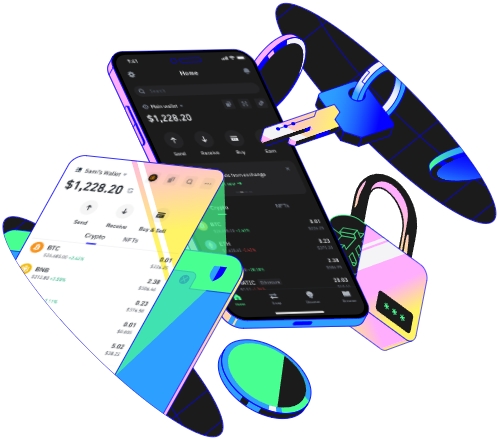
Trust Wallet is a popular and secure cryptocurrency wallet that supports a wide range of digital assets, including TRON. If you're looking to find your TRON wallet address within Trust Wallet, this guide will walk you through the process step by step.
Prerequisites
Before you start looking for your TRON wallet address, make sure you have completed the following steps. First, download and install Trust Wallet from the official app store on your mobile device, whether it's an iOS or Android. The installation process is straightforward, similar to installing any other app. Once installed, you need to set up your wallet. You can either create a new wallet or import an existing one using your recovery phrase. For example, if you already had a TRON wallet on another platform, you can import it into Trust Wallet to access your funds here.
Accessing the TRON Wallet in Trust Wallet
After setting up your Trust Wallet, open the app. On the home screen, you'll see a list of supported cryptocurrencies. Scroll through the list to find TRON. If you don't see it immediately, you can use the search function at the top of the screen. Type "TRON" in the search bar, and it will appear in the results. Tap on the TRON entry to open your TRON wallet within Trust Wallet. This will take you to the TRON wallet dashboard, where you can view your TRON balance, transaction history, and other relevant information.
Finding the TRON Wallet Address
Once you're on the TRON wallet dashboard, look for an option like "Receive" or an icon that resembles an arrow pointing into a box. Tap on this option. A new screen will appear, showing your TRON wallet address. The address is a long string of characters, typically starting with "T". You can copy the address by tapping on the copy icon next to it. This address is what you'll use to receive TRON from other wallets or exchanges. For instance, if you want to transfer TRON from a cryptocurrency exchange to your Trust Wallet, you'll need to provide this address on the exchange's withdrawal page. You can also share the address with other TRON users if they want to send you TRON.
It's important to note that your TRON wallet address in Trust Wallet is unique to your wallet. Keep it secure and don't share it with anyone you don't trust. Also, double - check the address before making any transactions to avoid sending your TRON to the wrong place. Following these steps, you should be able to easily find your TRON wallet address in Trust Wallet and start using it for your cryptocurrency transactions.
TAG:
