How to Connect Trust Wallet to DeFi Lending Platforms
A Step - by - Step Guide
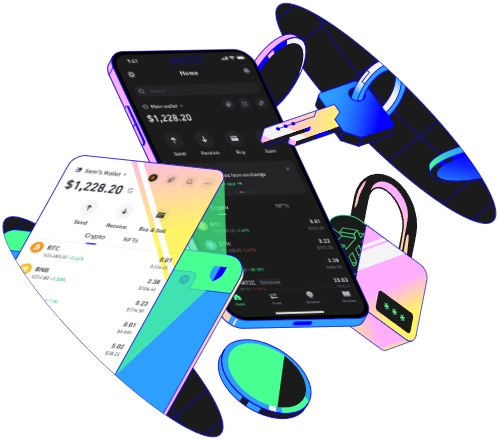
Trust Wallet is a popular cryptocurrency wallet known for its security and user - friendly interface. Decentralized Finance (DeFi) lending platforms, on the other hand, offer users the opportunity to lend and borrow digital assets in a decentralized environment. Connecting Trust Wallet to DeFi lending platforms can open up a world of financial possibilities. Here's how you can do it.
Prerequisites
Before you start the connection process, there are a few things you need to have in place. First, you must have the Trust Wallet app installed on your mobile device. It's available for both Android and iOS platforms. You can download it from the official app stores. Second, you need to have some cryptocurrency in your Trust Wallet. Most DeFi lending platforms support popular tokens like Ethereum (ETH), Binance Coin (BNB), etc. You can transfer these tokens into your Trust Wallet from an exchange or another wallet.
For example, if you've been trading on a centralized exchange like Coinbase, you can withdraw some ETH to your Trust Wallet. Log in to your Coinbase account, go to the wallet section, select ETH, and click on the "Withdraw" button. Enter your Trust Wallet ETH address and the amount you want to transfer. Confirm the transaction, and after a few minutes to hours depending on the network congestion, the ETH will be in your Trust Wallet.
Third, you should be aware of the risks associated with DeFi lending. The DeFi space is still relatively new, and there are risks such as smart contract bugs, market volatility, and liquidity issues. Make sure you understand these risks before proceeding.
Once you've met these prerequisites, you're ready to connect your Trust Wallet to a DeFi lending platform.
Let's take Aave, one of the most well - known DeFi lending platforms, as an example. First, open your Trust Wallet app. On the home screen, tap on the browser icon at the bottom right corner. This will open the in - app browser of Trust Wallet.
In the address bar of the browser, type in the official URL of the Aave platform. It's important to double - check the URL to ensure you're accessing the legitimate site and not a phishing one. Once you've entered the correct URL, press enter, and the Aave website will load in the Trust Wallet browser.
On the Aave website, look for the "Connect Wallet" button. Usually, it's located at the top - right corner of the page. Tap on it, and a list of available wallet connection options will appear. Select "Trust Wallet" from the list.
Trust Wallet will then prompt you to approve the connection. Review the information carefully, such as the permissions the platform is asking for. These permissions may include the ability to view your account balance and interact with the smart contracts on the platform. If you're satisfied with the details, tap "Approve" to complete the connection process.
After successfully connecting your Trust Wallet to Aave, you can start using the platform's features. You can deposit your cryptocurrency into the lending pool, earn interest on your deposits, or borrow other assets by using your deposited assets as collateral.
It's also worth noting that different DeFi lending platforms may have slightly different connection processes. Some platforms may support direct QR - code scanning for a faster connection, while others may require additional steps for security verification. Always follow the instructions provided on the platform's official website carefully.
When you're finished using the DeFi lending platform, you can disconnect your Trust Wallet. On the platform, find the option to disconnect the wallet, usually in the account settings or profile section. Confirm the disconnection, and your Trust Wallet will no longer be connected to the platform.
Connecting Trust Wallet to DeFi lending platforms is a straightforward process as long as you follow the steps and take the necessary precautions. It allows you to participate in the exciting world of DeFi and potentially earn significant returns on your digital assets.
TAG:
