How to Receive BTC, ETH and BNB via Trust Wallet
A Step-by-Step Guide to Crypto Receiving
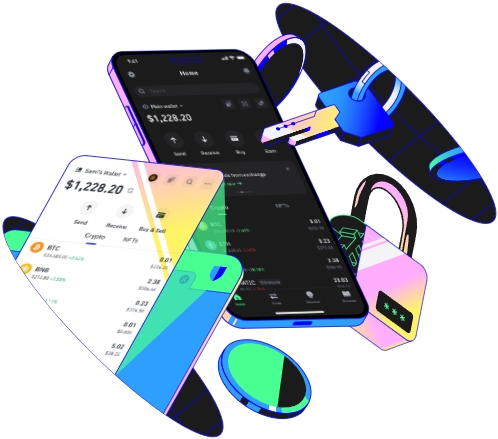
Trust Wallet is a popular and user - friendly cryptocurrency wallet that allows you to store, send, and receive various digital assets, including Bitcoin (BTC), Ethereum (ETH), and Binance Coin (BNB). Here's a detailed guide on how to receive these cryptocurrencies via Trust Wallet.
Setting Up Your Trust Wallet
First, you need to download and install the Trust Wallet app on your mobile device. It is available for both Android and iOS platforms. Once installed, open the app and follow the on - screen instructions to set up a new wallet. You'll be asked to create a strong password and write down your recovery phrase. This recovery phrase is crucial as it can be used to restore your wallet if you lose access to your device.
For example, let's say John decides to start using Trust Wallet. He downloads the app, creates a password that combines letters, numbers, and special characters, and carefully writes down his recovery phrase on a piece of paper and stores it in a safe place. After completing the setup, he is ready to start receiving cryptocurrencies.
Receiving Bitcoin (BTC)
To receive Bitcoin, open the Trust Wallet app and tap on the Bitcoin icon in the list of available cryptocurrencies. On the Bitcoin wallet page, look for the "Receive" button and tap it. A unique Bitcoin address will be generated for you. This address is like your bank account number for Bitcoin. You can share this address with anyone who wants to send you Bitcoin.
There are different ways to share your address. You can copy the address and send it via text message, email, or any other messaging app. You can also use the QR code that is displayed on the screen. The sender can scan this QR code using their wallet app to initiate the transfer. For instance, Sarah wants to receive Bitcoin from her friend Tom. She opens her Trust Wallet, gets her Bitcoin address, and sends it to Tom via WhatsApp. Tom then uses his wallet to send the desired amount of Bitcoin to Sarah's address.
Receiving Ethereum (ETH)
The process of receiving Ethereum is similar to receiving Bitcoin. In the Trust Wallet app, tap on the Ethereum icon. Then, click on the "Receive" button. A new Ethereum address will be generated. This address is specific to your Ethereum wallet within Trust Wallet.
When sharing your Ethereum address, you can follow the same methods as with Bitcoin. Many decentralized applications (dApps) also use Ethereum for transactions. For example, if you're participating in an Ethereum - based game and need to receive in - game tokens, you can provide your Ethereum address from Trust Wallet. Mark is an avid dApp user. He uses his Trust Wallet to receive ETH from a dApp that rewards him for completing certain tasks. He simply shares his Ethereum address with the dApp, and the ETH is transferred to his wallet.
Receiving Binance Coin (BNB)
To receive Binance Coin, find the BNB icon in the Trust Wallet app and tap on it. Then, select the "Receive" option. A Binance Coin address will be generated for you. BNB is widely used on the Binance Smart Chain for various DeFi (Decentralized Finance) applications.
Let's say Lisa is involved in a DeFi project on the Binance Smart Chain. She needs to receive BNB as part of her investment returns. She gets her BNB address from Trust Wallet and provides it to the DeFi platform. Once the platform processes the returns, the BNB is sent to her Trust Wallet.
It's important to note that when receiving cryptocurrencies, you should always double - check the address you're providing. A single wrong character can result in the loss of your funds. Also, be aware of the network fees associated with each transaction. Different cryptocurrencies have different fee structures, and these fees can vary depending on the network congestion at the time of the transfer.
TAG:
