Trust Wallet Polygon MATIC: How to Use Layer 2 Scaling Tokens
Step-by-Step Guide to Using Layer 2 Tokens
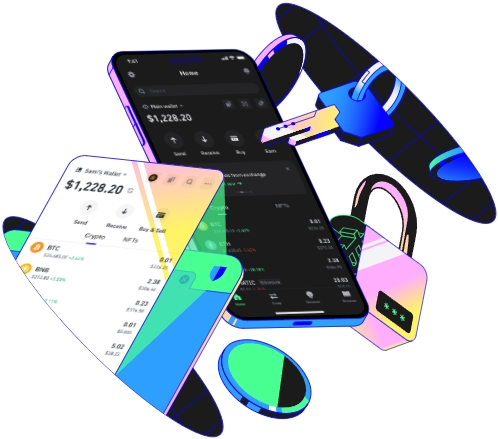
Trust Wallet has become a popular choice among cryptocurrency enthusiasts due to its user - friendly interface and wide range of supported tokens. One of the significant features of Trust Wallet is its support for Polygon MATIC, a layer 2 scaling solution for Ethereum. In this article, we will explore how to use layer 2 scaling tokens with Trust Wallet and Polygon MATIC.
Setting Up Trust Wallet for Polygon MATIC
First, you need to download and install the Trust Wallet app on your mobile device. It is available for both iOS and Android platforms. Once installed, open the app and create a new wallet or import an existing one. After setting up your wallet, you need to add the Polygon network to your Trust Wallet. To do this, go to the wallet settings, select “Networks,” and then add the Polygon network. You can find the necessary details such as the RPC URL and chain ID on the official Polygon website.
Once the Polygon network is added, you can start using MATIC tokens. MATIC is the native token of the Polygon network and is used for paying transaction fees. You can buy MATIC directly from the Trust Wallet using a supported fiat currency or transfer MATIC from another wallet.
For example, let's say you have some funds in your bank account. You can use a supported payment method in Trust Wallet, like a credit card, to purchase MATIC. After the purchase, the MATIC tokens will be deposited into your Trust Wallet on the Polygon network.
Using Layer 2 Scaling Tokens
After you have MATIC in your wallet, you can start using layer 2 scaling tokens on the Polygon network. Many popular Ethereum - based tokens have their layer 2 equivalents on Polygon. For instance, tokens like USDC, DAI, and some NFTs are available on Polygon.
To interact with these layer 2 tokens, you can use decentralized applications (dApps) on the Polygon network. First, select the “DApps” tab in your Trust Wallet. Here, you'll find a list of various dApps that support the Polygon network. For example, if you want to trade USDC on a decentralized exchange like QuickSwap, you can search for QuickSwap in the DApps section.
When you open a dApp, Trust Wallet will prompt you to connect to the app. Once connected, you can start trading, staking, or performing other operations with the layer 2 tokens. The transactions on the Polygon network are faster and have lower fees compared to the Ethereum mainnet. For example, if you were to swap USDC for another token on the Ethereum mainnet, the transaction fee could be quite high, but on Polygon, it will be significantly lower.
Withdrawal and Transfer of Tokens
If you want to transfer your layer 2 tokens back to the Ethereum mainnet or to another wallet, you can do so. In Trust Wallet, go to the token you want to transfer, select “Send,” and enter the recipient's wallet address. Make sure to choose the correct network (Polygon) during the transfer process. You can also transfer tokens between different addresses within the Polygon network.
Overall, using Trust Wallet with Polygon MATIC provides a seamless experience for dealing with layer 2 scaling tokens. It allows users to take advantage of the benefits of layer 2 technology, such as fast transactions and low fees, while still having the security and flexibility of a trusted wallet.
TAG:
